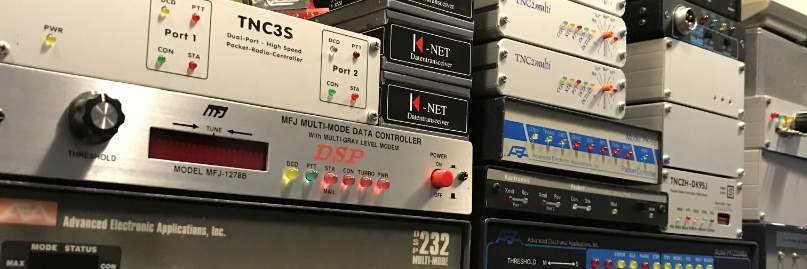
I came across the website of R.C. Anderson WH6FQE.
https://www.wh6fqe.com
Here he has a nice configuration example of BPQ32, windows version. I asked him if he thought it was okay that I placed it on my website. This was not a problem.
Sit back and enjoy.
*****************************  START OF FILE   *****************************************


/* This begins a multi-line comment      - UPDATED  OCT 20, 2019

CONFIGURATION FILE FOR BPQ32: G8BPQ SWITCH SOFTWARE FOR WH6FQE
    Port 1: AX/IP/UDP Internet Linking User - BBS / DTN Node Forwarding Port
    Port 2: BPQ Telnet Server - High-Speed Internet Port
    Port 3: APRS Port - APRS Digipeater & IGATE
    Port 4: PACTOR Port - HF Winlink RMS Gateway
    ;Port 5: WINMOR Port - HF Winlink RMS Gateway
    ;Port 6: ARDOP Port - HF Winlink RMS Gateway - OFFLINE
    Port 7: VHF Packet-Radio Port - VHF Winlink RMS,BBS, and BPQ Chat VHF gateway
    Web Server:  wh6fqe.ddns.net:8012/Node/NodeIndex.html
    BPQ Node Map:  WH6FQE-1 WH6FQE.DDNS.NET UDP 10093 B
*/ This ends a multi-line comment

SIMPLE
PASSWORD=****************
LOCATOR=BL11AJ66MT
NODECALL=WH6FQE-1
NODEALIAS=HIHUB
IDMSG:            ; UI broadcast text from NODECALL to fixed dest ID
WH6FQE - DTN Pacific Region Hub & BPQ Packet Node in Honolulu, HI
***            ; Denotes end of IDMSG text
BTEXT:            ; UI broadcast text from BCALL to destination UNPROTO=
WH6FQE - DTN Pacific Region Hub & BPQ Packet Node in Honolulu, HI
***            ; Denotes end of BTEXT text
INFOMSG:        ; The INFO command text follows:
Welcome to the WH6FQE DTN Pacific Region Hub & BPQ Packet Node in Honolulu, HI
 HIBBS:WH6FQE        BBS
 HIHUB:WH6FQE-1        DTN Pacific Region Hub
 HIAPRS:WH6FQE-3    APRS Digipeater and iGate
 HICHAT:WH6FQE-5    BPQ Chat Server
 HISAT:WH6FQE-6        SatGate Satellite APRS Ground Station
 HIRMS:WH6FQE-10    WinLink RMS Gateway

Thanks for visiting.
...Aloha and 73`s RC WH6FQE
***            ; Denotes end of INFOMSG text
CTEXT:            ; The CTEXT text follows:
WH6FQE - DTN Pacific Region Hub & BPQ Packet Node in Honolulu, HI
HIHUB:WH6FQE-1} RMS BBS CONNECT BYE INFO NODES PORTS ROUTES USERS MHEARD
***            ; Denotes end of CTEXT text

FULL_CTEXT=0        ; 0=send CTEXT to L2 connects to NODEALIAS only
            ; 1=send CTEXT to all connectees

;-----------------------------------------------  NETWORK SYSTEM PARAMETERS ----------------------------------------
NODESINTERVAL=25    ; Nodes broadcast interval in minutes
IDINTERVAL=10        ; 'IDMSG' UI broadcast interval in minutes, 0=OFF
BTINTERVAL=60        ; The BTEXT broadcast interval in minutes, 0=OFF
MAXLINKS=63        ; Max level 2 links
MAXNODES=200        ; Max nodes in nodes table
MAXROUTES=64        ; Max adjacent nodes
MAXCIRCUITS=128    ; Max L4 circuits
MINQUAL=85        ; Minimum quality to add to nodes table
;-----------------------------------------------------------  AX / IP/ UDP PORT ----------------------------------------------------
PORT
 PORTNUM=1
 ID=AX/IP/UDP
 DRIVER=BPQAXIP    ; Uses BPQAXIP.DLL
 QUALITY=200        ; Quality factor applied to node broadcasts heard on
            ; this port, unless overridden by a locked route
            ; entry. Setting to 0 stops node broadcasts
 MINQUAL=0        ; Entries in the nodes table with qualities greater or
            ; equal to MINQUAL will be sent on this port. A value
            ; of 0 sends everything.
 MAXFRAME=7        ; Max outstanding frames (1 thru 7)
 FRACK=7000        ; Level 2 timout in milliseconds
 RESPTIME=1000        ; Level 2 delayed ack timer in milliseconds
 RETRIES=10        ; Level 2 maximum retry value
 UNPROTO=ID        ; BTEXT broadcast addrs format: DEST[,digi1[,digi2]]
 BCALL=WH6FQE-1    ; BTEXT call. unstated defaults to APPL1CALL
CONFIG
 UDP 10093        ;Listens for UDP packets on this UDP port number
 UDP 10092
 MHEARD ON
; AUTOADDMAP
 BROADCAST NODES
 BROADCAST ID

 MAP VK4QC-1 VK4QC.DDNS.NET UDP 10093 B
 MAP K0ZCO-1 K0ZCO.DDNS.NET UDP 10093 B
 MAP W5KAV-1 W5KAV.DDNS.NET UDP 10093 B
 MAP N3HYM-5 N3HYM.DDNS.NET UDP 10092 B
 MAP N9LCF-4 67.199.254.150 UDP 10093 B
 MAP W9GM-7 W9GM.DDNS.NET UDP 10093 B
 MAP KC9VYU-7 kc9vyu.4920north.com UDP 10093 B
 MAP KK5QT-1 KK5QT.DDNS.NET UDP 10093 B
 MAP PE1RRR-7 Z.RED-HEAT.COM UDP 10093 B
 MAP AC9HP AC9HP.SOFTETHER.NET UDP 10093 B
 MAP KE0GB-7 KE0GB.DDNS.NET UDP 10093 B
 MAP N9PMO-2 N9PMO.NO-IP.ORG UDP 10093 B
 MAP N7HPX-2 66.194.76.151 UDP 10093 B
 MAP ZS6RO-14 WWW.HAM-RADIO.CO.ZA UDP 10093 B
 MAP DB0NTS-8 DB0NTS.SPDNS.ORG UDP 10093 B
 MAP W0LVJ-8 69.92.94.54 UDP 10093 B
 MAP VK6RR-1 VK6RR.DDNS.NET UDP 10093 B
 MAP LU4ECL-4 LU4ECL.ZAPTO.ORG UDP 10093 B
 MAP W4WWS-2 W4WWS.DDNS.NET UDP 10093 B

ENDPORT
;--------------------------------------------------  BPQ TELNET SERVER PORT --------------------------------------------
PORT
 PORTNUM=2
 ID=Telnet
 DRIVER=Telnet
 QUALITY=0
CONFIG
 CMS=1
 CMSCALL=WH6FQE
 CMSPASS=****************
 RELAYAPPL=BBS
 LOGGING=1
 DisconnectOnClose=1
 TCPPORT=8010
 FBBPORT=8011
 HTTPPORT=8012
 LOGINPROMPT=user:
 PASSWORDPROMPT=password:
 MAXSESSIONS=15
 CTEXT=Welcome to WH6FQE's Telnet Server\nEnter ? for list of commands\n\n

 USER=WH6FQE,52983771RAnderson,WH6FQE,"",sysop
ENDPORT

/*
;----------------------------------------------------------------  APRS PORT ---------------------------------------------------------

APRSDIGI
 APRSCall WH6FQE-6
 StatusMsg= Oahu Hawaii SatGate
 Symbol=S        ; Icon to display for station. Default is House if omitted
 Symset=\

 ;Specify a Dest and Path for each port you want to use for APRS. No dest means receive only port
 ;Ports without an APRSPath statement will not be used by the Digi


APRSPATH 1=ARISS,SGATE,WIDE2-2
APRSPATH 2=                ; Receive only port
APRSPATH 3=ARISS,SGATE,WIDE2-2
APRSPATH 4=ARISS,SGATE,WIDE2-2
 BeaconInterval=4        ; Send Beacon every 4 minute

 ; Define Crossport Digi. For each port, a list of ports to send a packet to (IS means send to APRS-IS)
 ; If a Digimap isn`t specified for a port, digi out on the port the packet arrived on,
 ; and send to APRS-IS (if enabled)
 ; If you want to digi on same port, but not send to APRS-IS, Specify Digimap n=n

 ;Digimap 5=5,16,    ; Packets from 5 to 16, but not APRS-IS
Digimap 3=3,IS    ; Packets from 3 to 3 and APRS-IS

 ;TraceCalls=WIDE,TRACE    ; Calls for CALLN-n Processing with Trace
 TraceCalls=WIDE,IN    ; Calls for CALLN-n Processing with Trace
 FloodCalls=FQE        ; Calls for CALLN-n Processing without Trace
 DigiCalls=WH6FQE        ; Calls for Normal (ie no SSID manipulation) Digi

; For a Local "Fillin" Digi, you could include WIDE1-1 and leave out TraceCalls and FloodCalls

 ReplaceDigiCalls        ; Replace DigiCalls with APRSCall. Omit if you want the call to be left as it is received.

 MaxTraceHops=2        ; Max value of n in CALLN-n processing. If a packet is received with n greater than
 MaxFloodHops=        ; this, the value will be replaced BEFORE it is decremented.

; GPSPort=        ; if specified, lat/lon will be taken from a GPS
; GPSSpeed=9600
; GPSSetsLocator=1

 ;IGATE Params. If specified you will gate RF packets and your beacons to APRS-IS

 ISHost=rotate.aprs.net    ; APRS-IS Host Name
 ISPort=14580        ; Normal port for a filtered feed
 ISPasscode=17321    ; If you don`t already have a passcode I can issue you one.

; WXFileName=C:\WeatherLink\WH6FQE13\WXNOW.TXT
; WXComment=WH6FQE Weather Station
; WXPortList=1,IS        ; comma separated list - include IS to send to APRS-IS
; WXInterval=3        ; minutes

 LAT=2124.21N        ; Must be in standard APRS Format
 LON=15756.74W        ; Must be in standard APRS Format

***

PORT ;145.825 SATGATE
 PORTNUM=3
 ID=APRS SATGATE        ; Displayed by PORTS command
 TYPE=ASYNC             ; Port is RS232 Com
 PROTOCOL=KISS            ; TNC is used in KISS mode
 COMPORT=14            ; # = SERIAL COM PORT
 SPEED=38400            ; RS232 COM PORT SPEED
 CHANNEL=A            ; A for single channel TNC, A or B for multichannel
 MAXFRAME=2            ; Max outstanding frames (1 thru 7)
 FRACK=6000            ; Level 2 timout in milliseconds
 RESPTIME=1000            ; Level 2 delayed ack timer in milliseconds
 RETRIES=5            ; Level 2 maximum retry value
 PACLEN=128            ; Default max packet length for this port
 TXDELAY=350            ; Transmit keyup delay in milliseconds
 SLOTTIME=100            ; CMSA interval timer in milliseconds
 PERSIST=230            ; PERSIST=256/(# of transmitters-1)
 MINQUAL=95            ; Entries in the nodes table with qualities greater or
                ; equal to MINQUAL will be sent on this port. A value
                ; of 0 sends everything.
 FULLDUP=0            ; Only meaningful for KISS devices
 TXTAIL=0            ; TX key down, in milliseconds, at packet end
 QUALITY=0            ; Quality factor applied to node broadcasts heard on
                ; this port, unless overridden by a locked route
                ; entry. Setting to 0 stops node broadcasts
 MINQUAL=95            ; Entries in the nodes table with qualities greater or
                ; equal to MINQUAL will be sent on this port. A value
                ; of 0 sends everything.
 UNPROTO=:            ; BTEXT broadcast addrs format: DEST[,digi1[,digi2]]
 BCALL=WH6FQE-6         ; BTEXT call. unstated defaults to APPL1CALL
 L3ONLY=0             ; 1=No user downlink connects on this port
 DIGIFLAG=1             ; Digipeat: 0=OFF, 1=ALL, 255=UI Only
 DIGIPORT=0             ; Port on which to send digi`d frames (0 = same port)
 USERS=0             ; Maximum number of L2 sessions, 0 = no limit
 KISSOPTIONS=TRACKER
ENDPORT
*/

;---------------------------------------------------------------  PACTOR PORT -----------------------------------------------------
PORT
 PORTNUM=4  ; Optional but sets port number if stated
 ID=PACTOR            ;SCS P4 Dragon 7800
 DRIVER=SCSPACTOR
 COMPORT=11
 SPEED=115200  ; COM Port Speed
INTERLOCK=4
 PORTCALL=WH6FQE
CONFIG
APPL BBS
RIGCONTROL
COM10 19200 ICOM IC7300 94h  PTT_SETS_INPUT AUX
8,7.1010,USB,F1,D,P1234,APPL=RMS
3,7.1044,USB,F1,D,P1234
3,10.1435,USB,F1,D,P1234,APPL=RMS
8,14.1020,USB,F1,D,P1234,APPL=RMS
3,14.1124,USB,F1,D,P1234
3,21.0915,USB,F1,D,P1234,APPL=RMS
3,28.1485,USB,F1,D,P1234,APPL=RMS
****
 PSKA 250  ;TX Output level. May need optimising. Default is 140
 FSKA 250
 # if you are using a Dragon, uncomment the following

DRAGON
MAXLEVEL=3
 # To comply with US regulations, the Dragon will be limited to P3. If your administration permits P4,
 # also add MAXLEVEL=4
MYCALL WH6FQE-10
 WL2KREPORT PUBLIC,www.winlink.org,8778,WH6FQE,BL11AJ,00-23,07102500,P123, 85,30,0,0
 WL2KREPORT PUBLIC,www.winlink.org,8778,WH6FQE,BL11AJ,00-23,10145000,P123, 85,30,0,0
 WL2KREPORT PUBLIC,www.winlink.org,8778,WH6FQE,BL11AJ,00-23,14103500,P123, 85,30,0,0
 WL2KREPORT PUBLIC,www.winlink.org,8778,WH6FQE,BL11AJ,00-23,21093000,P123, 85,30,0,0
 WL2KREPORT PUBLIC,www.winlink.org,8778,WH6FQE,BL11AJ,00-23,28148500,P123, 85,30,0,0
 WL2KREPORT PUBLIC,www.winlink.org,8778,WH6FQE-10,BL11AJ,00-23,07102500,WINMOR1600, 85,30,0,0
 WL2KREPORT PUBLIC,www.winlink.org,8778,WH6FQE-10,BL11AJ,00-23,10145000,WINMOR1600, 85,30,0,0
 WL2KREPORT PUBLIC,www.winlink.org,8778,WH6FQE-10,BL11AJ,00-23,14103500,WINMOR1600, 85,30,0,0
 WL2KREPORT PUBLIC,www.winlink.org,8778,WH6FQE-10,BL11AJ,00-23,21093000,WINMOR1600, 85,30,0,0
 WL2KREPORT PUBLIC,www.winlink.org,8778,WH6FQE-10,BL11AJ,00-23,28148500,WINMOR1600, 85,30,0,0
 WL2KREPORT PUBLIC, www.winlink.org,8778,WH6FQE-10,BL11AJ,00-23,07102500,ARDOP2000, 85,30,0,0
 WL2KREPORT PUBLIC,www.winlink.org,8778,WH6FQE-10,BL11AJ,00-23,10145000,ARDOP2000, 85,30,0,0
 WL2KREPORT PUBLIC,www.winlink.org,8778,WH6FQE-10,BL11AJ,00-23,14103500,ARDOP2000, 85,30,0,0
 WL2KREPORT PUBLIC,www.winlink.org,8778,WH6FQE-10,BL11AJ,00-23,21093000,ARDOP2000, 85,30,0,0
 WL2KREPORT PUBLIC,www.winlink.org,8778,WH6FQE-10,BL11AJ,00-23,28148500,ARDOP2000, 85,30,0,0
 WL2KREPORT PUBLIC,www.winlink.org,8778,WH6FQE-10,BL11AJ,00-23,07102500,VARA, 85,30,0,0
 WL2KREPORT PUBLIC,www.winlink.org,8778,WH6FQE-10,BL11AJ,00-23,14103500,VARA, 85,30,0,0
 WL2KREPORT PUBLIC,www.winlink.org,8778,WH6FQE-10,BL11AJ,00-23,145090000,PKT1200,50,30,5,0
ENDPORT

;---------------------------------------------------------------  WINMOR PORT -----------------------------------------------------
PORT
 PORTNUM=5
 ID=WINMOR
 DRIVER=WINMOR
 INTERLOCK=4
CONFIG
 ADDR 127.0.0.1 8500 PTT CI-V PATH C:\RMS Express\WINMOR TNC.exe
 CAPTURE IC-7300 (USB Audio Codec)
 PLAYBACK IC-7300 (USB Audio Codec)
 LISTEN TRUE
 CWID True
 DEBUGLOG True
 BW 1600
 DRIVELEVEL 100
 MODE Auto
 ROBUST False
 SHOW False
 BUSYLOCK False
ENDPORT

;---------------------------------------------------------------  ARDOP PORT -----------------------------------------------------
PORT
 PORTNUM=6
 ID=ARDOP
 DRIVER=ARDOP
 INTERLOCK=4
CONFIG
 ADDR 127.0.0.1 8400 PTT CI-V PATH C:\RMS Express\ARDOP_Win.exe
 CAPTURE IC-7300 (USB Audio Codec)
 PLAYBACK IC-7300 (USB Audio Codec)
 LISTEN TRUE
 CWID True
 CMDTRACE True
 DEBUGLOG True
 DRIVELEVEL 100
 GRIDSQUARE BL11aj
 MAXCONREQ 12
 PROTOCOLMODE ARQ
 TUNERANGE 200
 ARQBW 2000MAX
 ARQTIMEOUT 60
 MONITOR TRUE
 Squelch 1
 SENDID 5
 FECREPEATS 3
ENDPORT
;---------------------------------------------------------------  VARA PORT -----------------------------------------------------
PORT
 PORTNUM=7
 ID=HF VARA
 DRIVER=VARA
 INTERLOCK=4
 CONFIG
 ADDR 127.0.0.1 8300 PTT CI-V PATH C:\VARA\VARA.exe
ENDPORT
;---------------------------------------------------------------  VHF PACKET PORT -----------------------------------------------------
PORT
 PORTNUM=8
 ID=VHF Packet Gateway        ;Tracker Access Port
 TYPE=ASYNC
 PROTOCOL=KISS
 COMPORT=14
 SPEED=38400
 MAXFRAME=2
 FRACK=10000
 RESPTIME=3000
 RETRIES=10
 PACLEN=200
 TXDELAY=500
 SLOTTIME=100
 PERSIST=64
 KISSOPTIONS=TRACKER
ENDPORT

;----------------------------------------------------------  ROUTING INFORMATION ------------------------------------------------
 ROUTES:    ; Locked routes (31 maximum)
/*        ; Begin comment block
CALLSIGN,QUALITY,PORT[,MAXFRAME,FRACK,PACLEN,INP3Enable]
MAXFRAME, Frack and PACLEN if stated override the port defaults.
INP3Enable = 1 enables, 0 or null disable.  The INP3 (internode protocol)
implementation in BPQ32 is experimental.  See additional details in bpqaxip.cfg.
Example of a route statement using INP3:
HISCAL-12,1,1,0,0,0,1
Locked routes tend to be overused and should not be set unless truly needed.
*/        ; End comment block

***            ; Denotes end of locked routes

;-------------------------------------------------------------  APPLICATIONS -------------------------------------------------------
; Applications:  APPLICATION n,CMD,New Command,Call,Alias, Quality

APPLICATION 1,RMS,C 2 CMS,WH6FQE-10,HIRMS,255
APPLICATION 2,BBS,,WH6FQE,HIBBS,255
APPLICATION 3,CHAT,,WH6FQE-5,HICHAT,255
APPLICATION 32,RC,,WH6FQE-9,0


************************************* END OF FILE  **********************************************************